Superboard

An RP2040 development board with a built-in debug lab. 16-channel logic analyser, CMSIS-DAP debug probe, and a 25-LED pin-mimic dashboard — all on one PCB, through one USB cable.

See It in Action

What's On the Board

The Superboard V1 integrates an RP2040 target MCU and the AT32F405 co-processor on a single PCB. The co-processor silently observes the target and presents a composite USB device to your PC — debug probe, logic analyser, and serial console all on one cable.

📡

16-Channel Logic Analyser

Sixteen GPIO lines from the target run straight into the co-processor for real-time capture. SUMP-style streaming over USB — works with the bundled la_cli tool and the Workbench viewer.

🐛

CMSIS-DAP Debug Probe

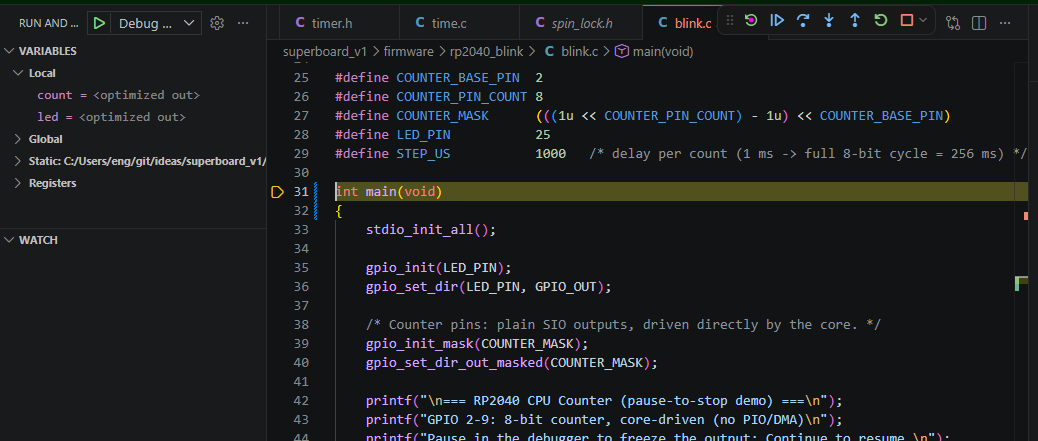
The co-processor runs a CMSIS-DAP firmware so you can flash, halt, step, and inspect the RP2040 from VS Code, OpenOCD, pyOCD, or any standard SWD-aware toolchain — no extra probe required.

💡

25-LED Pin Dashboard

A 25-LED dashboard; 24 of the 25 mirror the RP2040 GPIO pins in real time. See pin activity at a glance without touching a scope — a quick way to check "is anything happening?"

🔌

Single-Cable Composite USB

The co-processor enumerates as one USB device with three interfaces: CDC virtual COM port (target UART), WinUSB bulk (logic analyser stream), and CMSIS-DAP (debug). Plug in once, get everything.

📌

Full GPIO Breakout

Every user-accessible RP2040 GPIO is exposed on headers. Probe, jumper, or wire out to a breadboard — the board is wide-open for experimentation.

📂

Native UF2 Programming

The RP2040's stock USB bootloader is preserved and exposed — drag a .uf2 onto the RPI-RP2 drive to flash. No special tooling needed for first-time bring-up.

Single-Cable Architecture

One Cable, Three Interfaces

The co-processor is the only USB device the host PC sees. It muxes everything onto a composite USB endpoint set:

  • CDC virtual COM — target UART relayed to a serial port on your PC.
  • WinUSB bulk — 16-channel logic analyser stream, captured by la_cli or Workbench.
  • CMSIS-DAP HID/WinUSB — SWD debug into the RP2040, driven by your IDE.

No second cable, no USB hub, no drivers — just one USB-C lead between the board and your machine.

🔌 Composite USB

See It Working

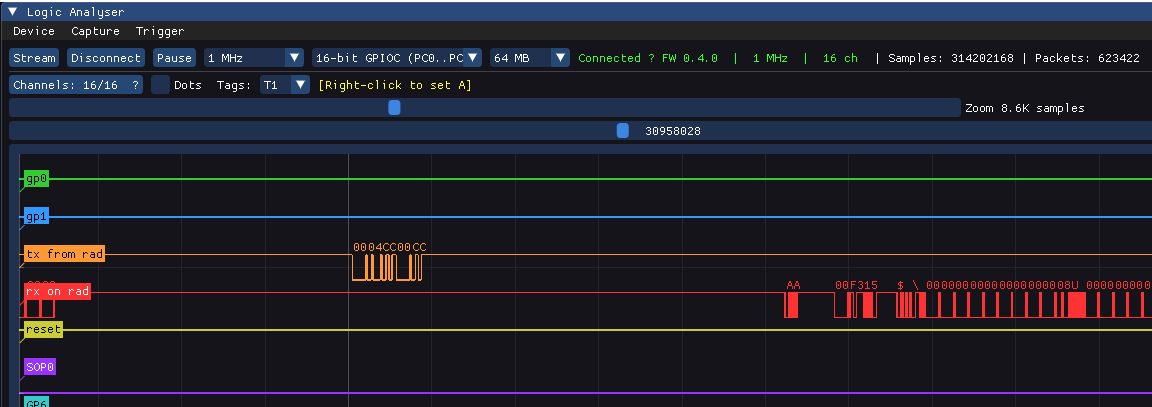
Real screenshots from the Workbench app, capturing live signals from a Superboard on the bench.

Live Capture

A live capture streaming over WinUSB from a Superboard on the bench — here, eight signals across SPI, I²C, and UART. Captures flow through a 4 MB host ring and on to disk, so long runs aren't limited by on-board memory.

The Workbench is a native Dear ImGui + ImPlot app; zoom goes from the full capture down to single samples, with decimation in C++ for smooth panning.

Live Capture

Precision Measurement

Automatic edge detection — the tooltip reads back delta time, sample count, and frequency. Here: 16.00 µs (16 S) | 62.50 kHz on a square wave.

The same data feeds la_cli for headless capture (CSV out), so the same signals are scriptable from the command line.

Precision Measurement

Software & Tools

The board ships with our host tooling — no installer, no driver pack. And because it speaks open standards, common open tools work too.

⌨️

la_cli

Command-line capture tool. Streams the LA over WinUSB, writes CSV. Useful for scripting and CI.

📊

Workbench

Native Dear ImGui + ImPlot viewer. LA waveform display with zoom-out, decimation, measurement cursors, and a 4 MB host ring buffer.

🔗

Standard SWD Stack

Because the co-processor speaks CMSIS-DAP, you can drive it with OpenOCD, pyOCD, VS Code Cortex-Debug, or any IDE that talks to a standard probe.

Where V1 Is Today

Prototype, Honestly

Superboard V1 is a working prototype, not a polished product. A small batch has been built and is on the bench, fully populated — LA front-end, the LED pin dashboard, the debug probe, the GPIO breakout, and the composite USB port.

The firmware is up and running: 16 LA channels stream over WinUSB, the GPIO LED dashboard is live, and the composite USB device exposes CDC + WinUSB + CMSIS-DAP together. Flashing the RP2040 over the probe works with standard OpenOCD and pyOCD, and there's a one-click Windows installer with an automated self-test.

Active work: a more legible LA timeline, USB field-update (flashing without a J-Link), and a tidied V2 PCB that fixes the V1 errata (SWD header pinout) and the layout.

🔧 V1 status

Technical Specifications

Superboard V1

Interested in a Board?

V1 is a small-batch prototype. Get in touch if you'd like one for evaluation, or to follow along as V2 firms up.

Get in Touch